使用分支可以将你的工作从开发主线上分离开来,以免影响开发主线。
Git处理分支的方式非常轻量,创建新分支几乎可以在瞬间完成,并且在不同分支之间的切换操作也很便捷。
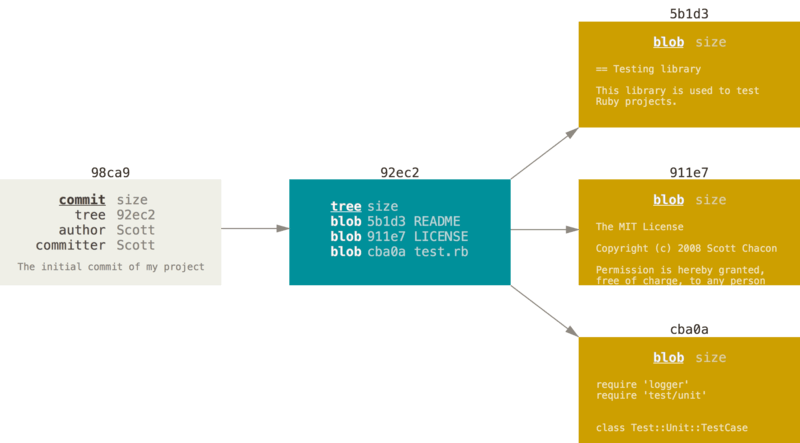
现在Git仓库有5个对象:
3个blob对象:保存文件快照
1个树对象:记录目录结构和blob对象索引
1个提交对象:指向树对象的指针和所有提交信息
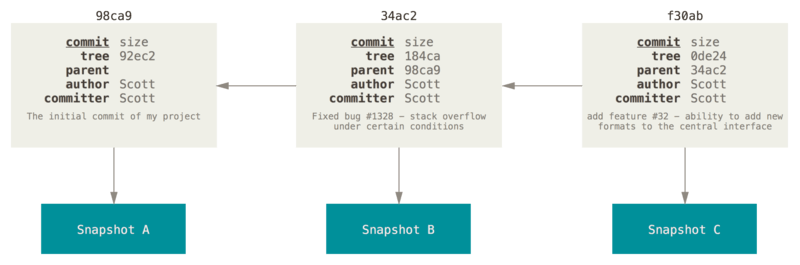
做些修改后再次提交,这次产生的提交对象会包含一个指向上次提交对象(父对象)的指针
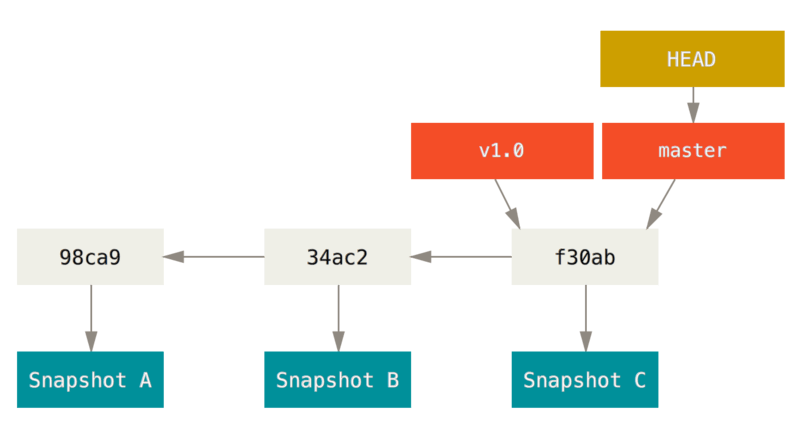
Git的分支其实是指向提交对象的可变指针。Git的默认分支名字是master。在多次提交之后,就拥有一个指向最后那个提交对象的master分支。它会在每次的提交操作中自动向前移动。
创建分支
创建新分支,只是创建新的可移动指针。比如,创建testing分支
git branch testing
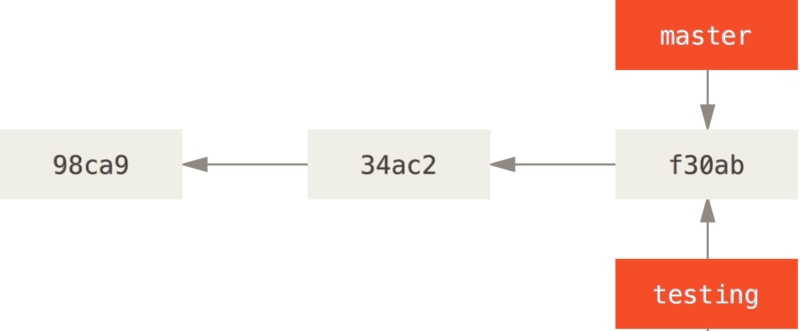
HEAD作为特殊指针,指向当前所在的本地分支。git branch 命令仅仅创建新的分支,并不会自动切换到新的分支。
通过git log 查看各个分支当前所指的对象
$ git log --oneline --decorate
f30ab (HEAD, master, testing) add feature #32 - ability to add new
34ac2 fixed bug #1328 - stack overflow under certain conditions
98ca9 initial commit of my project
分支切换
要切换到一个已知分支,只需要使用git checkout 命令
git checkout testing
在该分支,修改文件,并提交
$ vim test.rb
$ git commit -a -m 'made a change'
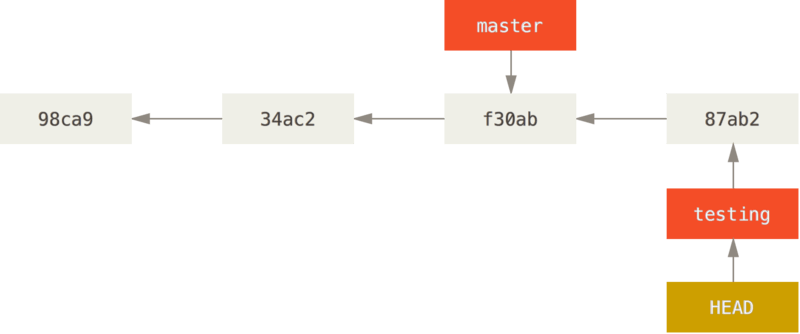
此时可以看到testing分支向前移动,但是master分支并没有。当使用git checkout master 检出master分支时,HEAD指向master分支,同时将工作目录恢复成master分支所指向的快照内容。
此时,在master分支修改文件并提交,这样就造成项目分叉
$ vim test.rb
$ git commit -a -m 'made other changes'
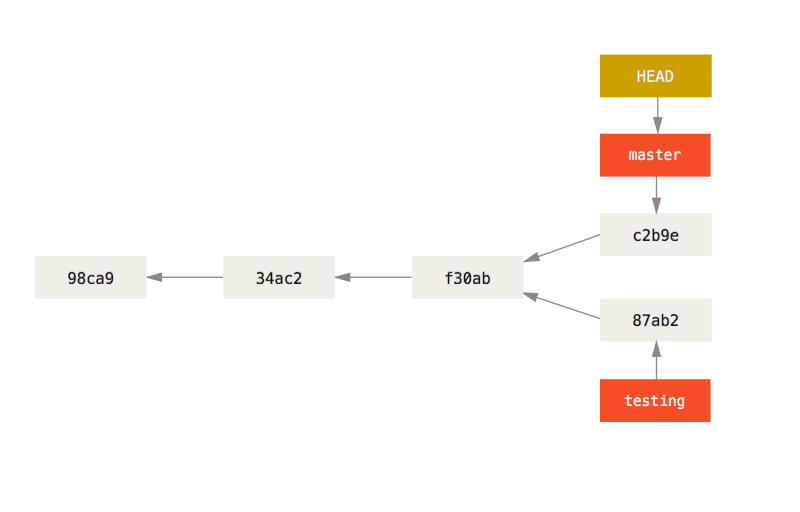
通过git log 查看分支历史
$ git log --oneline --decorate --graph --all
* c2b9e (HEAD, master) made other changes
| * 87ab2 (testing) made a change
|/
* f30ab add feature #32 - ability to add new formats to the
* 34ac2 fixed bug #1328 - stack overflow under certain conditions
* 98ca9 initial commit of my project